
Facilities
A facility is a single, physical data center location. Each facility has its own facility code and available configurations called products. To see all available locations, go to the Data Center Locationspage on the website.
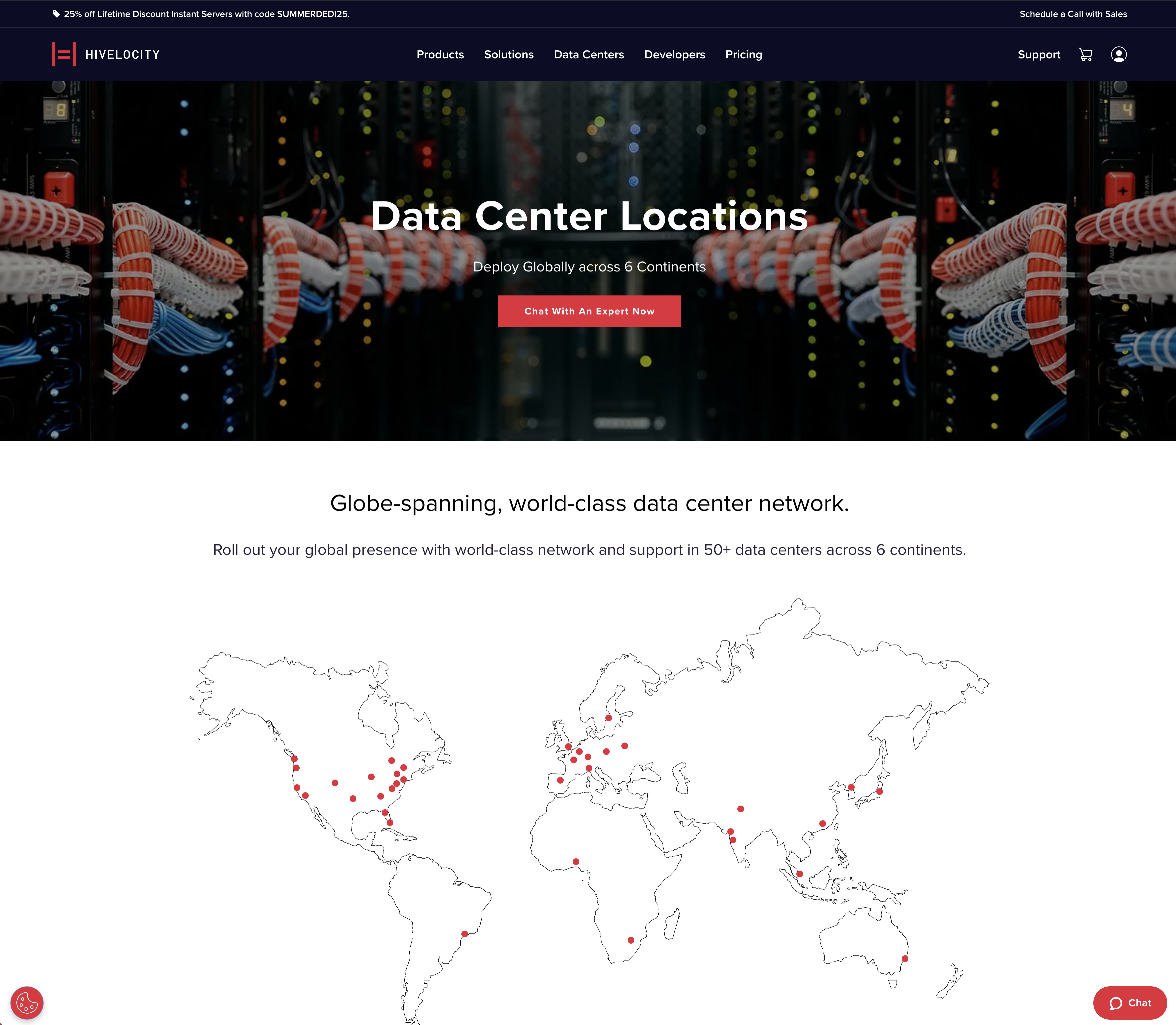
You can also get a list of facilities by making a GET request to /inventory/locations
curl -X 'GET' \
  'https://core.hivelocity.net/api/v2/inventory/locations' \
  -H 'accept: application/json' \
Facility Codes
Each core facility has a facility code consisting of three letters and a number. This code is used to specify the location for deployments. The letters of a location's facility code are derived from the Airport Code of the nearest airport. The number represents the order each facility was brought online in that city. Typically, this is the numeral 1 for locations with a single facility.
Facility Reference
USA & Canada
| City | Code | Type |
|---|---|---|
| Albany, NY | ALB1 | Core |
| Ashburn, VA | IAD1 | Core |
| Ashburn, VA | IAD3 | Core |
| Atlanta, GA | ATL2 | Core |
| Chicago, IL | ORD3 | Core |
| Colorado Sprins, CO | COS1 | Core |
| Dallas, TX | DAL1 | Core |
| Los Angeles, CA | LAX2 | Core |
| Miami, FL | MIA1 | Core |
| New York, NY | NYC1 | Core |
| New York, NY | OGB1 | Core |
| Newark, NJ | JFK1 | Edge |
| Seattle, WA | SEA1 | Core |
| San Jose, CA | SJC1 | Edge |
| Tampa, FL | TPA1 | Core |
| Tampa, FL | TPA2 | Core |
| Toronto, ON | YYZ1 | Edge |
| Toronto, ON | YYZ2 | Edge |
| Vancouver, BC | YXX1 | Edge |
Europe
| City | Code | Type |
|---|---|---|
| Amsterdam, Netherlands | AMS1 | Core |
| Frankfurt, Germany | FRA1 | Core |
| London, UK | LON1 | Core |
| Madrid, Spain | TOJ1 | Edge |
| Milan, Italy | LIN1 | Edge |
| Milan, Italy | MXP1 | Core |
| Paris, France | CDG1 | Edge |
| Poznan, Poland | POZ1 | Edge |
| Riga, Latvia | RIX1 | Edge |
| Stockholm, Sweden | ARN1 | Edge |
| Vilnius, Lithuania | VNO1 | Edge |
APAC (Asian-Pacific Countries)
| City | Code | Type |
|---|---|---|
| Delhi, India | DEL1 | Edge |
| Hong Kong, China | HKG1 | Edge |
| Mumbai, India | BOM1 | Edge |
| Pune, India | PNQ1 | Edge |
| Singapore, Singapore | SIN1 | Core |
| Sydney, Australia | SYD1 | Edge |
| Tokyo, Japan | NRT1 | Core |
| Tokyo, Japan | NRT2 | Edge |
Central & South America
| City | Code | Type |
|---|---|---|
| Sao Paulo, Brazil | SAO1 | Core |
Africa
| City | Code | Type |
|---|---|---|
| Johannesburg, South Africa | JHB1 | Edge |
| Lagos, Nigeria | LOS1 | Core |
Finding a Server's Facility
In the control panel, you can see which facility your server lives in from the Devices section by looking at the Location column. This will display the name of the location.
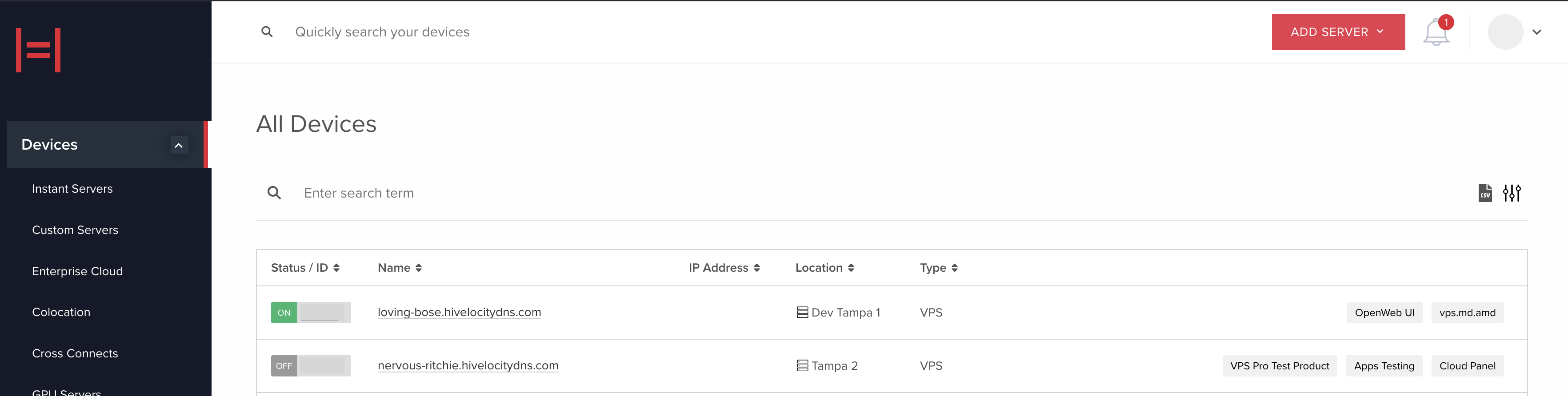
You can also retrieve the facility information of your server by making a GET request to the /devices/DEVICE_ID endpoint.
Facility Inventory
The stock of a product in a facility is dependent on the server parts supply chain and variations in demand. Hivelocity has built a robust supplier network to ensure rapid re-stocking, that said, the exact product stock in a facility will vary over time. When you deploy from our website, the inventory available in each facility is automatically filtered. If you are deploying servers through the API, you must specify the facility code.
To check the available inventory of facilities, use the /inventory/product . Send a GET request to see a complete list of facilities, products, and their stock.
curl -X 'GET' \
  'https://core.hivelocity.net/api/v2/inventory/product?location=MAIN&group_by=facility' \
  -H 'accept: application/json' \
  -H "X-API-KEY: $API_KEY"
The stock responses for a product are one of the following:
- Available - There are plenty of servers available.
- Limited - There are servers available, but the stock is limited.
- Unavailable - Servers of a particular type and data center combination are not available.
The query arg location can have the values:
- MAIN - A list of all traditional Instant and Custom Dedicated servers.
- OUTLET - A list of servers with older generation CPUs listed at a discount.
- GPU - A list of servers with GPU availability. If you need different GPU configurations, email [email protected] and we can source GPUs for your particular workload.
The query arg group_by can have the values:
- facility - will return the products grouped by the facilities where they are available.
- cities - will return the products grouped by the cities where they are available.
- flat - a flat list of products where each permutation of a product and facility is an individual item.
Updated 5 months ago